A free invoice generator turns your business details, your client and a list of work or products into a finished invoice you can send. This free invoice generator adds up the lines, applies a discount and sales tax, VAT or GST, sets the due date from your payment terms, and lets you print the invoice, save it as a PDF or image, or copy it as text.
Quick answer: To make an invoice, list your business and your client, give the invoice a unique number and a date, add each item with its quantity and price, show any tax on its own line, and state the total, the due date and how to pay. The free invoice generator above does each step for you and needs no account.
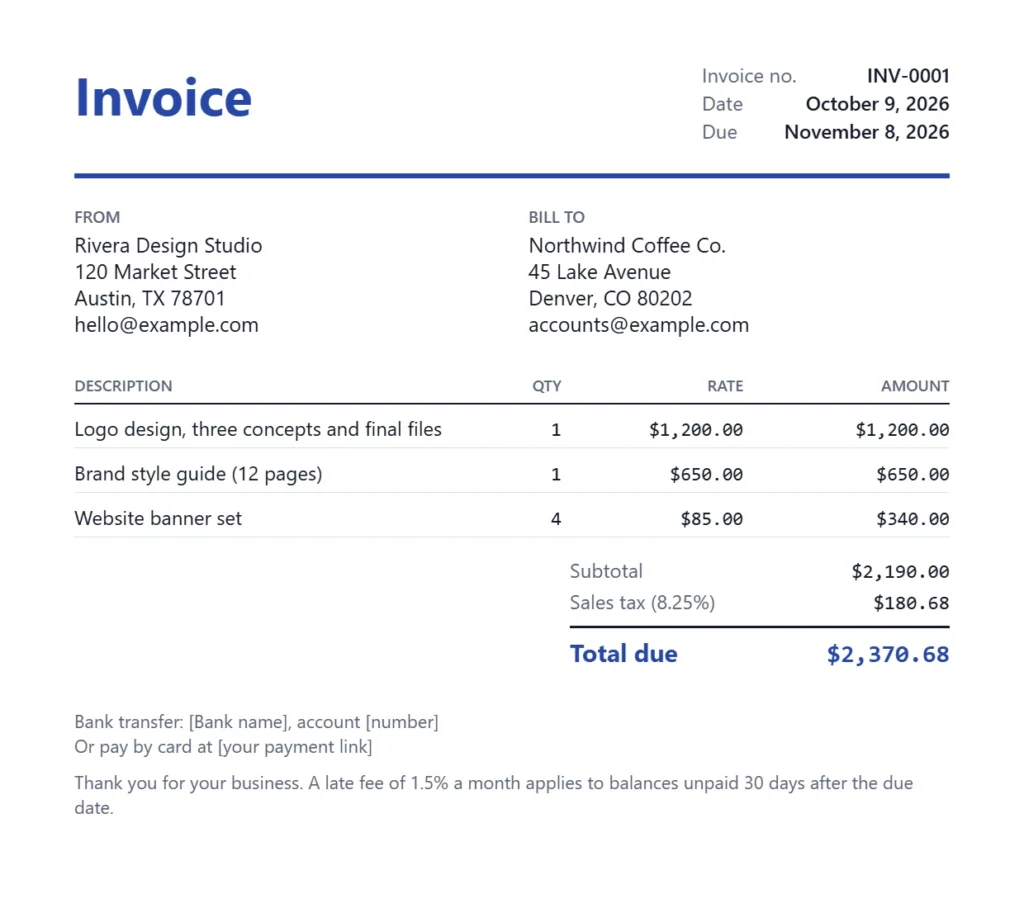
How to use the free invoice generator
The invoice preview updates as you type, so you can see the finished page before you print it. Everything stays in your browser.
- Type your business name, email and address. Add a tax ID such as a VAT number, ABN or GST/HST number if you have one, and upload a logo if you like.
- Enter your client’s name, email and address under Bill to.
- Check the invoice number and date, and choose the payment terms. The due date is filled in for you.
- Pick the currency and the tax type, then type the tax rate.
- Add each line item with a description, quantity and rate. Add a discount or a shipping fee if needed.
- Write how the client can pay you and any notes, choose Classic, Modern or Minimal, then print, save as PDF or image, or copy as text.
| Section | What to type | Where it shows on the invoice |
|---|---|---|
| From | Your name or business, address, email, tax ID, logo | Top left, with the logo beside the title |
| Bill to | Client name, address and email | Top right, under Bill to |
| Invoice details | Number, date, terms, currency and tax | Top right corner and the totals |
| Line items | Description, quantity and rate for each line | The main table, with an amount per line |
| Notes and payment | Bank details, payment link, late fee terms | Below the totals |
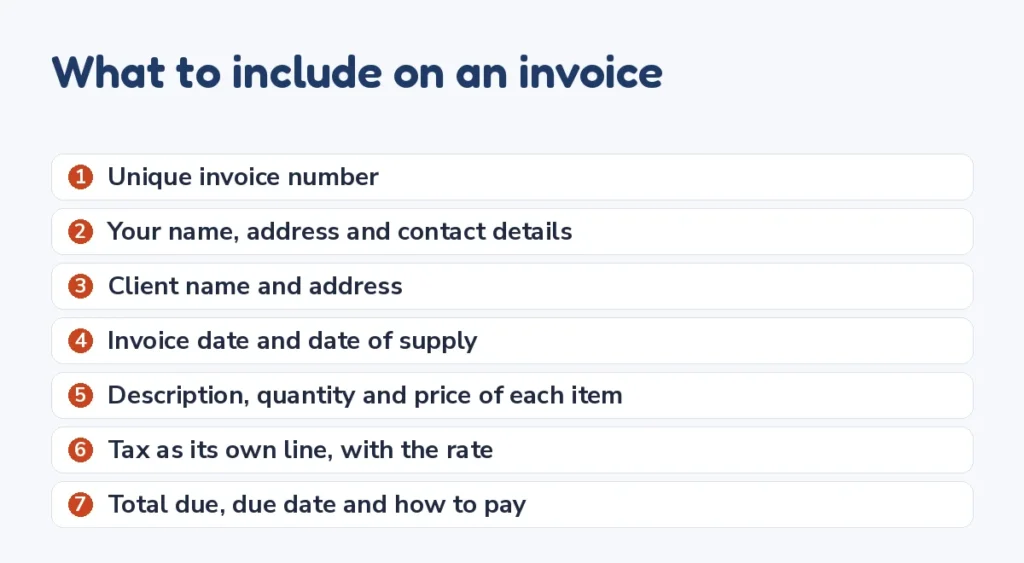
What to include on an invoice
Whatever country you work in, a clear invoice has the same core parts. Missing one of them is the most common reason an invoice is paid late, because the client has to come back with a question.
- A unique invoice number, so you and the client can refer to it.
- Your name or business name, address and contact details.
- The client’s name and address, and a contact person for large companies.
- The invoice date, and the date the work was done or the goods supplied.
- A clear description of each item, with quantity, rate and line amount.
- Any tax shown as its own line, with the rate.
- The total amount due, the due date and how to pay.
Invoice rules by country
The rules add details depending on where you work and whether you are registered for a sales tax. This is a summary to check against the official guidance for your situation.
| Country | What the rules add |
|---|---|
| United States | No single federal invoice format. Keep invoices as business records, and charge state or local sales tax where your goods or services are taxable. |
| United Kingdom | GOV.UK lists a unique identification number, your and the customer’s names and addresses, a description, the supply date, the invoice date, the amounts, any VAT and the total. Sole traders also include their name and an address for legal documents. |
| Canada | If you charge GST/HST, show your GST/HST registration number. Larger invoices also need the buyer’s name and item details; the Canada Revenue Agency sets the dollar limits for each level of detail. |
| Australia | A GST tax invoice includes the words tax invoice, your identity and ABN, the date, a description and the GST amount. For sales of $1,000 or more including GST it also shows the buyer’s identity or ABN. |
If you are not registered for VAT, GST or HST, choose No tax in the free invoice generator so no tax line appears. Charging a tax you are not registered for is not allowed in most countries.
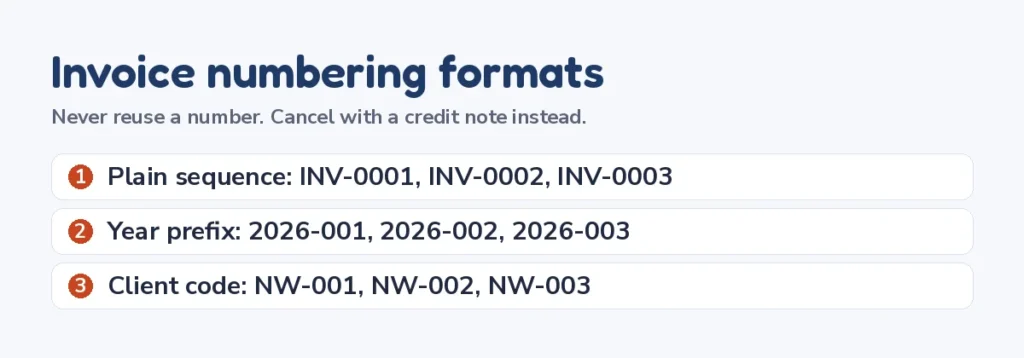
How to number your invoices
Use a sequence that never repeats, such as INV-0001, INV-0002 and so on. Some freelancers add the year, such as 2026-001, or a client code, such as NW-001, which makes invoices easier to find later. Do not reuse a number, even for a canceled invoice; issue a credit note instead.
The Next invoice number button in the invoice generator moves your number on by one and keeps the format, so INV-0009 becomes INV-0010 and 2026-041 becomes 2026-042.
Payment terms that get you paid
Payment terms tell the client when the money is due. The invoice generator turns the terms you pick into a due date on the invoice, so there is no confusion.
| Term | Meaning | Good for |
|---|---|---|
| Due on receipt | Pay as soon as the invoice arrives | Small jobs and new clients |
| Net 7 | Pay within 7 days of the invoice date | Short projects and individuals |
| Net 15 | Pay within 15 days | Freelancers who invoice often |
| Net 30 | Pay within 30 days | Most business clients |
| Net 60 | Pay within 60 days | Large companies that insist on it |
- State a late fee on the invoice, such as 1.5% a month, and agree it in your contract first.
- Offer more than one way to pay, such as bank transfer and card, to remove a reason to wait.
- Ask for a deposit before a large project, and invoice it as its own line.
- Send the invoice the day the work is done. Late invoices are paid late.
Invoice generator for freelancers and contractors
Freelancers usually bill by the hour, by the project or by a retainer. In the invoice generator, an hourly job is one line with the hours as the quantity and your rate as the price. A project is one line per stage or deliverable, which makes it clear what the client is paying for.
Contractors in the trades often split labor and materials. Put labor on one line with hours and rate, and each material on its own line with quantity and unit price. If sales tax applies to materials only, invoice them on a separate invoice or note the taxable lines, because the generator applies one tax rate to the whole subtotal.
When you invoice a client in another country, pick their currency so the totals show in the money they will pay. The free invoice generator supports US dollars, Canadian dollars, British pounds, euros, Australian dollars and Indian rupees.
Free invoice generator: no sign up, no watermark
Many invoice tools ask you to create an account before you can download anything. This free invoice generator does not. The invoice is built in your browser, and nothing you type is sent to a server or stored by us.
If you send invoices often, tick Remember my business details. Your name, address, tax ID, payment details, logo and last invoice number are saved in this browser only, so the next invoice starts with them filled in. Untick the box to remove them.
To keep a copy for your records, use Print or save as PDF and choose Save as PDF as the printer, or save the image. Keep every invoice you send for at least as long as your tax records.
Free invoice generator or invoicing software?
A free invoice generator suits freelancers and small businesses that send a handful of invoices a month. You fill in a form, save the invoice and send it yourself, with nothing to install and no monthly fee.
Invoicing software adds features that matter at a larger scale: online card payments on the invoice, automatic reminders, recurring invoices, and reports that feed your bookkeeping. Most of it charges a monthly fee once you pass a free tier.
| Need | Free invoice generator | Invoicing software |
|---|---|---|
| A few invoices a month | Yes, fast and free | More than you need |
| No account or sign up | Yes | Usually requires an account |
| Online card payments on the invoice | Add your own payment link | Built in, with fees |
| Automatic reminders and recurring invoices | No | Yes |
| Bookkeeping reports | Keep your own list | Yes |
Many people start with a free invoice generator and move to software when the number of clients grows. Whichever you use, the parts of a good invoice stay the same, and so does the habit of sending it the day the work is done.
This free invoice generator keeps the page fast and private: it builds the invoice in your browser and does not track what you type.
Invoice maker tips that save time
- Write descriptions the client’s accounts team will understand without asking you, such as Website banner set, 4 sizes.
- Put your payment details in the How to pay you box once, then remember them on this device.
- Use the same invoice style for every client so your invoices are easy to recognize.
- Copy as text when a client asks for the details in an email body instead of an attachment.
- Check the total and the due date in the preview before you print or send.
How to make an invoice step by step
If you have never sent one, this is how to make an invoice from scratch. The order matters less than including every part, but working top to bottom keeps it simple.
- Agree the price and the payment terms with the client before you start the work, ideally in writing.
- When the work is done, open the free invoice generator and fill in your details and the client’s details.
- Give the invoice the next number in your sequence and today’s date.
- List each item or stage of work on its own line, with a description the client will recognize.
- Add tax only if you are registered to charge it, and check the total in the preview.
- Save the invoice as a PDF, send it with a short email that repeats the total and the due date, and keep a copy for your records.
That is all it takes to make an invoice that gets paid. Most delays come from missing details, such as no purchase order number for a large client or no bank details, so ask the client what their accounts team needs before you send the first one.
Invoice examples by type of work
The way you write the lines depends on how you charge. These examples show how common jobs look in the invoice generator.
| Type of work | Example line | Quantity | Rate |
|---|---|---|---|
| Writing | Blog article, 1,500 words, two rounds of edits | 3 | $250 |
| Design | Logo design, three concepts and final files | 1 | $1,200 |
| Consulting | Strategy sessions, October 2026 | 6 hours | $150 |
| Cleaning | Weekly office cleaning, four visits | 4 | $120 |
| Tutoring | Math tutoring, one hour sessions | 8 | $45 |
| Trades | Labor, bathroom tiling | 14 hours | $65 |
For a retainer, use one line such as Monthly retainer, October 2026, with a quantity of 1. For a deposit, invoice the deposit first, then show it as a negative line or a note on the final invoice so the client sees what is left to pay.
What to do when an invoice is not paid
Most late invoices are paid after a polite reminder. Send one the day after the due date, with the invoice attached, the number, the total and how to pay. Keep it short and friendly; the invoice may simply be sitting in someone’s inbox.
- One day late: a short reminder with the invoice attached.
- One week late: a second reminder that names the due date and asks when payment will be made.
- Two to four weeks late: a call or a firm email that mentions the late fee in your terms.
- After that: pause further work, and look into your country’s small claims process if the amount is large.
Keep every message, and keep sending invoices with the same number so there is one clear record of what is owed.
Invoices and your taxes
Every invoice you send is income you report. In the US, freelance income is subject to self-employment tax as well as income tax, and nobody withholds it from your payments. Use the self-employment tax calculator to see how much of each invoice to set aside, and when your quarterly payments are due.
Keep your invoices in order by number, with a note of when each was paid. That list is the simplest income record you can give an accountant, and it makes year-end tax work much faster.
Frequently asked questions
10 quick answers
Is this invoice generator really free?
Yes. There is no account, no trial and no watermark on your invoice.
Do I need to sign up to make an invoice?
No. Open the page, fill in the form and print or save the invoice. Nothing is stored on our servers.
How do I save the invoice as a PDF?
Press Print or save as PDF, then choose Save as PDF as the printer in your browser’s print window. You can also save it as an image.
Can I add VAT, GST or sales tax?
Yes. Choose the tax type and type the rate. The tax appears as its own line and is worked out after any discount.
Can I add my logo?
Yes. Upload a PNG, JPG or WebP file in the From section. It is used only on your invoice and stays in your browser.
What should I put in the payment terms?
Say when payment is due and how to pay, for example Net 30 by bank transfer. If you charge a late fee, state the rate and when it starts.
What is the difference between an invoice and a receipt?
An invoice asks for payment. A receipt confirms that payment was received. Send the invoice first, then a receipt if the client asks for one.
How do I number my first invoice?
Start with any format you will keep, such as INV-0001 or 2026-001, and go up by one each time. Never reuse a number.
Can I make invoices in other currencies?
Yes. The invoice generator supports US dollars, Canadian dollars, pounds, euros, Australian dollars and rupees.
Do freelancers need to send invoices?
An invoice is the clearest way to ask for payment and keep a record of income for your taxes. Many clients will not pay without one.
Related tools
- Self-employment tax calculator to set aside tax on what you invoice
- Hourly to salary calculator
- Markup and margin calculator to price products
- Sales tax and discount calculator
- VAT calculator and GST calculator
Sources and further reading
- GOV.UK: Invoices, what they must include
- Australian Taxation Office: Tax invoices
- Canada Revenue Agency: GST/HST for businesses
- IRS: Recordkeeping for small businesses
This page gives general information about invoices, not legal or tax advice. Check the rules for your country and business before you rely on them.
Last updated: October 2026.