This free word search generator (some people call it a word search maker) turns any list of words into a printable word search in seconds. Type your own words or pick one of 15 themes, choose the grid size and difficulty, and download a PDF with an answer key. You never need an account, nothing is watermarked, and it suits kids, classrooms, adults and seniors alike.
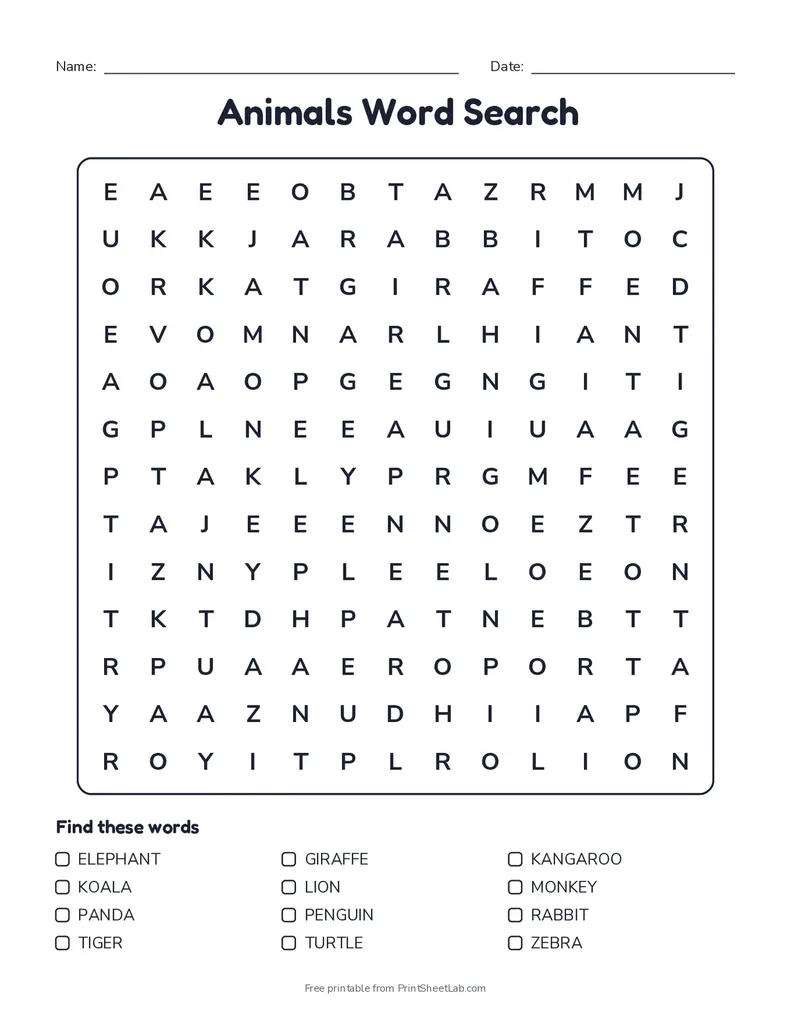
How to make your own printable word search
- Add your words. Type one word per line, or pick a ready-made theme such as Animals, Halloween, Christmas or Sight Words. Spelling lists, vocabulary words, names of party guests and team names all work.
- Choose the grid size. 8 x 8 for young children, 13 x 13 to 15 x 15 for most kids and adults, and 17 x 17 or 20 x 20 for a real challenge.
- Set the difficulty. On Easy, words only run left to right and top to bottom. Medium mixes in diagonal words, and Hard also hides words backwards, so they can point in any of 8 directions.
- Style it. Change the title, fonts and colors, or pick an easy-to-read font such as Lexend or OpenDyslexic.
- Download or print. Press Download PDF for a file sized for US Letter or A4, with the answer key on page 2. Press New puzzle for a different layout of the same words.
Word search generator features
| Feature | What you get |
|---|---|
| Your own words | Up to 40 words, typed or pasted one per line |
| Ready-made themes | Animals, ocean, fruit, space, dinosaurs, bugs, farm, weather, sports, Halloween, Thanksgiving, Christmas, winter, spring and sight words |
| Grid sizes | 8 x 8, 10 x 10, 12 x 12, 13 x 13, 15 x 15, 17 x 17 and 20 x 20 |
| Difficulty | Easy (across and down), medium (plus diagonals), hard (plus backwards) |
| Answer key | A second page with every word highlighted, in a color you choose |
| Fonts and colors | 10 title fonts, 6 letter fonts including dyslexia-friendly options, title color and border style |
| Paper | US Letter or A4, uppercase or lowercase letters, optional name and date line |
| Quality check | Every word is hidden exactly once, so children never find a word twice by accident |
Which grid size should I choose in the word search generator?
| Who is solving | Grid size | Difficulty | Number of words |
|---|---|---|---|
| Preschool and kindergarten (ages 4 to 6) | 8 x 8 | Easy, lowercase | 5 to 8 short words |
| Grades 1 and 2 (ages 6 to 8) | 10 x 10 | Easy | 8 to 10 words |
| Grades 3 to 5 (ages 8 to 11) | 13 x 13 | Medium | 10 to 15 words |
| Teens and adults | 15 x 15 to 20 x 20 | Hard | 15 to 30 words |
| Seniors and large print | 10 x 10 to 12 x 12 | Easy or medium | 8 to 12 words |
For a large print word search, keep the grid small: a 10 x 10 or 12 x 12 grid on a full page gives each letter a lot of space, and the Lexend font is especially clear.
Word search generator ideas for teachers, parents and adults
- Weekly spelling practice: paste the spelling list on Monday and hand out the printable word search for homework. Finding each word makes children look carefully at the letter order.
- Vocabulary review: use key terms from a science or history unit, then ask students to write a definition for each word they find.
- Early finishers and sub plans: keep a folder of themed puzzles for quiet time or a substitute teacher.
- Parties and showers: use guest names or theme words for a birthday, baby shower, bridal shower or retirement party.
- Seniors and memory care: a large print word search with familiar words, such as flowers or old film stars, is a gentle, screen-free activity.
- Adults: a 20 x 20 hard puzzle with backwards words takes a while, and it is a good travel or coffee-break activity.
How to solve a word search faster
- Start with the longest words. They are easier to spot and they use up many letters.
- Look for unusual letters first, such as Q, Z, X, J or double letters like OO and LL.
- Scan one row at a time with a finger or ruler, then do the same for columns.
- When you find the first letter, check all 8 directions around it before moving on.
- Circle or highlight each word and tick it off the list so you do not search twice.
Tips for a better puzzle from the word search generator
- Keep every word shorter than the grid. A 10 x 10 grid cannot hold an 11-letter word, and the word search generator tells you if a word did not fit.
- Mix short and long words so the puzzle has quick wins as well as harder finds.
- Turn off the word list for older solvers who want a bigger challenge.
- If one word is part of another, such as THE inside THEY, the shorter word will also be found inside the longer one. Every other word appears exactly once.
- Print in black and white to save ink. The answer key highlight prints as light gray.
Frequently asked questions
11 quick answers
What is the best free word search maker?
The best one is the one that gives you a clean puzzle with an answer key and no strings attached. This generator has no sign-up, no watermark and no daily limit, shows a live preview, and makes a PDF for US Letter or A4.
How do I create my own word search?
Type your words into the word search generator above, one per line, choose a grid size and difficulty, and press Download PDF. The letters are arranged for you and the empty squares are filled with random letters.
How do you make a homemade word search by hand?
Draw a grid on graph paper, write your words in it across, down or diagonally, then fill every empty square with a random letter. It takes about 20 minutes for a 12 x 12 grid. A word search generator does the same thing in a second and makes the answer key for you.
Can you make a word search in Microsoft Word?
Word has no built-in word search generator. You can insert a table and type the letters in by hand, but placing the words and filling the gaps is slow. It is quicker to make the puzzle with this word search generator and print the PDF.
Can I add a hidden message?
Yes. Type a message in the “Hidden message” box and the leftover letters spell it out once every word is found. The answer key circles the message letters. See the hidden message word search generator for ideas and tips.
Is this word search generator free?
Yes. Make and print as many word searches as you like. There is no account, no watermark and no limit.
Does it include an answer key?
Yes. Leave “Add an answer key page” switched on and the PDF includes a second page with every word highlighted.
Can I make a large print word search?
Yes. Choose a 10 x 10 or 12 x 12 grid so the letters print large on a full page, and pick the Lexend font for extra clarity.
Can I use these word searches in my classroom?
Yes. Printed puzzles are free for home, classroom and tutoring use. Please do not sell the PDFs or upload them to other websites. See the printable license for details.
Why did some of my words not fit?
A word longer than the grid, or too many words for the space, can be left out. Choose a bigger grid, remove a few words or press New puzzle to try another arrangement.
What is the easiest way to find words in a word search?
Look for the first letter of a long word or an unusual letter such as Q or Z, then check all 8 directions from it. Working row by row with a ruler also helps.
More printables
- Hidden message word search generator: leftover letters spell a secret message.
- Print the ready-made Halloween word search or the Halloween puzzle pack with four puzzles from easy to hard.
- Browse all printable worksheets and puzzles.
- See every printable generator on the site.
- Check the printable license before sharing puzzles with a group.
- Curious where these puzzles came from? The word search article on Wikipedia covers their history.